Analogue and digital worlds.

Hiya,

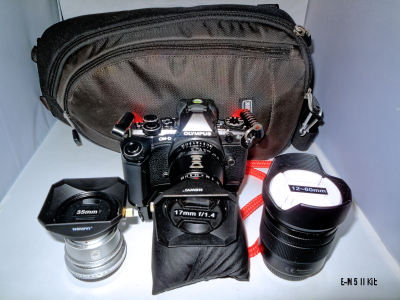
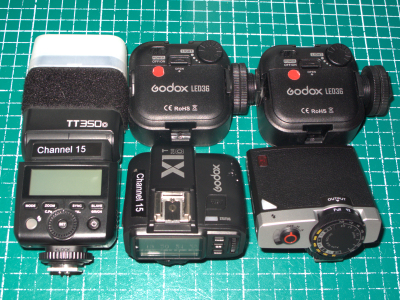
Using my manual focus lenses quite a bit recently and, maybe even more so, my manual flash gun from time to time has made me stop and think about the whole analogue digital thing. I don’t necessarily mean the quality of digital vs analogue I’m thinking more about the experience. I’ve readily embraced most modern technology in all my interests but, trying as hard as I can to set nostalgia aside for a moment, there are things that I do miss. Digital gear has made my life simpler in many ways, I can play my digital drums to my heart’s delight with next to no noise and just a pair of headphones on and I can choose from a huge selection of kits for different genres and further customise them to suit my personal taste in a way that I could never afford to do. I can and have talked to other radio amateurs all over the world without having to spend huge amounts of money on transceiver equipment and having to have large external aerials, prone as they are to come crashing down in high winds, sadly I talk from experience 😦 . I still marvel at being able to get 1000 or more images on a tiny memory card and see and work on the images pretty much immediately, I can download music straight to my PC or phone and hear it immediately all of which is more than just a matter of convenience.

However, there are things that I miss, so much of the tech. seems to promote not having to be bothered to learn any theory or, to put it another way an “I don’t care how it does it, it just does it” attitude which I think is a great pity. I appreciate that not everyone wants to get “under the bonnet” and invest any time an effort in learning what makes things tick and how to get the best out of one’s gear and one’s pastimes but it’s something that’s always interested me and the learning process can be incredibly rewarding and relevant. For all of it’s convenience there’s still something enjoyable about slowing down and seeing a shot come into focus or going to a record shop and thumbing through the used (I can no longer afford new) πŸ™‚ “vinyl” on the shelves, spotting an unexpected find and coming away with something in one’s hand. I guess that it’s things like this that have driven the recent trendy revival in film cameras and records decks etc.?.

I’ve tried my best to separate nostalgic feelings from convenience but I’ve found that it can become somewhat detached and soulless if one lets it. Talking of record decks or “vinyl decks” as they’ve now come to be known, I wonder how many people who buy them even take time to understand or bother setting them up correctly so as not to plough furrows in one’s records? or see the arm go skating off of them, I certainly would at today’s ridiculous prices!. in the same way as how many are interested in the exposure triangle and it’s importance in understanding and mastering basic photographic techniques?, how many digital cameras ever come off of full auto mode and/or auto-focus?.

Well, that’s my ten pennies worth πŸ™‚ , we live in a digital world with all of its many advantages and I wouldn’t put the clock back and I’m not dismissing modern technology out of hand much of which has opened up interesting new possibilities but I’m glad that I’m old enough to remember and still savour technology from the analogue world that I grew up in which taught me so much and given me so many enjoyable and rewarding experiences which I feel, on balance, has enriched my life. As a slight aside it’s interesting when I’m out and about with my retro-looking camera gear observing the looks I get from people of different generations, as a generalism, Baby Boomers and Generation X seem to be nostalgically interested in the look of the gear, Millennials/Generation Y seem to think that it looks “cool” and “interesting” whilst Generation Z and even more so, Generation Alpha, largely dismiss it (and probably me) as old and crappy tech. πŸ™‚

Kind regards

Leigh

These are a few of my favourite (travel) things :) UPDATED.

Hi everyone,

Don’t worry I’m not about to break into a medley of songs from The Sound of Music but I could be tempted for a suitable remuneration in which case I can also supply the free loan of a pair of noise-cancelling headphones which make excellent ear defenders. πŸ™‚ Here’s some of my favourite and most useful things that I pack in my travel gear, some general and some photography-specific.

Anker 5-port USB charging hub. Travelled with me extensively and the backbone of my USB charging. Compact, metal-cased and takes an interchangeable figure of eight mains lead and has a 100-240 input voltage so will work just about anywhere in the world with a suitable cable. They do newer versions but this one has served me very well over the years and I don’t have any immediate need to change it.

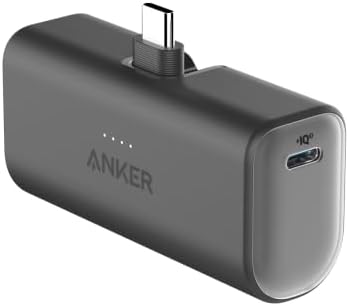
Another Anker product, my newly acquired Anker Nano USB power bank which I recently posted about. I’ve always travelled with a USB power bank of some sorts and this is very small and light, with a second output port. It attaches directly to the phone so no cable required and is more or less dedicated to topping up my phone battery on the move. It doesn’t have the capacity to fully charge the phone but it does top it up quite a bit until one can get to somewhere where one can charge it normally.

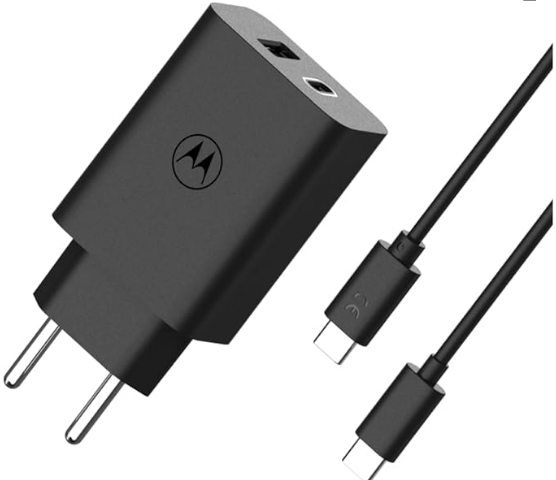
I found a nice dedicated fast charging solution for my Motorola G30 mobile phone the Motorola Turbopower 50W Duo USB-C + USB-A Charger, As my travels are mostly in Europe I wanted a charger with a 2 pin European plug connection, input voltage  100-240V AC, 50/60Hz. Not only is this charger less bulky and doesn’t require a UK to EU plug adapter it also has both USB-C fast charge and USB A sockets so can act as an additional or backup charger to my Anker charger should I require it. It has therefore replaced both my Motorola UK plug phone fast charger and my travel plug adapter/ 2 port USB backup charger. A significant weight and particularly space saving in my travelling tech bag. It has USB-PD Power Delivery and Quick Charge 3.0 technologies.

Another nice thing about this charger is that it could theoretically be used to simultaneously charge my Anker Nano USB power bank and the attached phone using the power bank’s passthrough charging feature and still have an extra USB-A port to charge another device. Not something that I’ve tried out as yet but I will be doing so as it could be really useful in the event of anything happening to my main Anker USB charging hub.

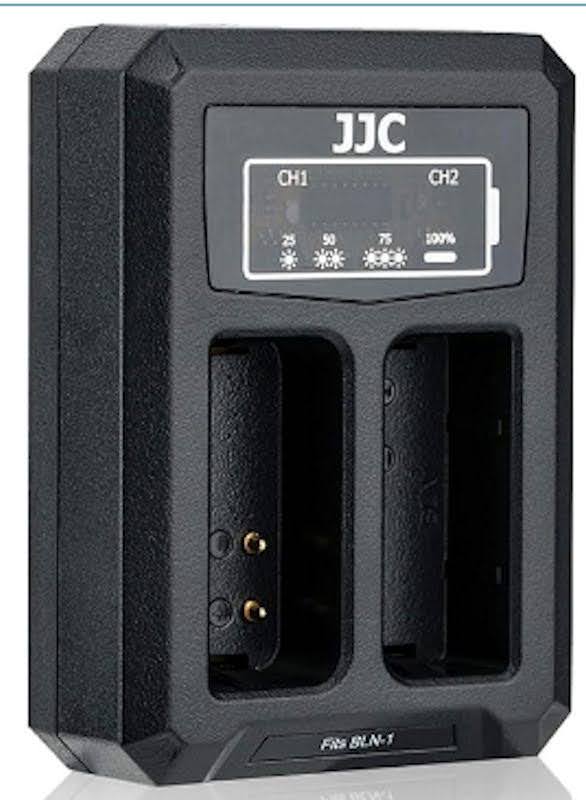
JJC USB dual camera battery charger, I have two of these to suit different types of camera batteries. It has a short 15cm hard-wired built in USB Type A cable which folds away neatly and stores on the back, it’s small, light and works well. It also comes with a short 40cm USB extension cable which could be useful.

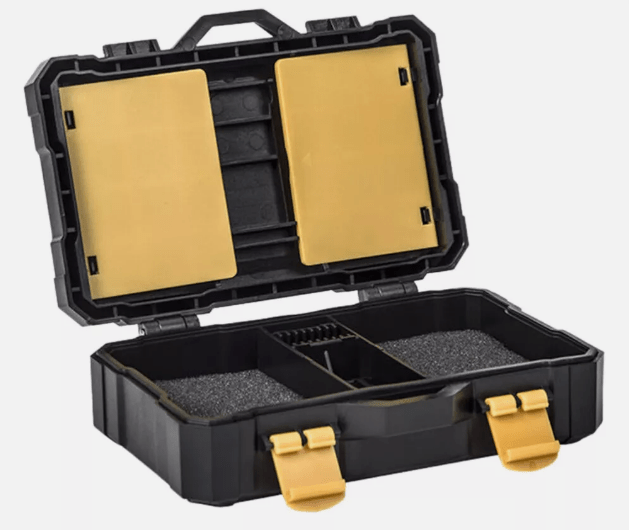
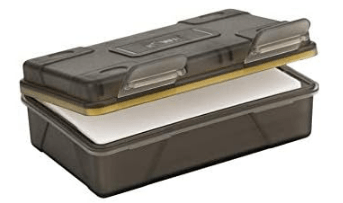
My chosen memory card and battery case. This one holds two batteries and has compartments for 5 SDHC cards as well as several micro SD cards and 2 Compact Flash cards of which I have no need so I keep a couple of lens wipe sachets in these yellow-coloured hinged compartments instead. Both battery types (BLN-1 and BLS-5/50) as fit my various Olympus OM-D and PEN series cameras fit in comfortably. It’s not overly heavy, it’s water-resistant, well constructed and gives a good degree of protection to the contents which is just about all I can ask of it. A slight cautionary note, I’ve added some prominent “This way up” labelling to the outside of the hinged lid as if, in an absent-minded moment, one inadvertently opens it upside down then everything is going to fall out!, I speak from experience . πŸ™‚ What would be nice is some form of latching bar mechanism over the batteries and cards which would prevent this from happening.

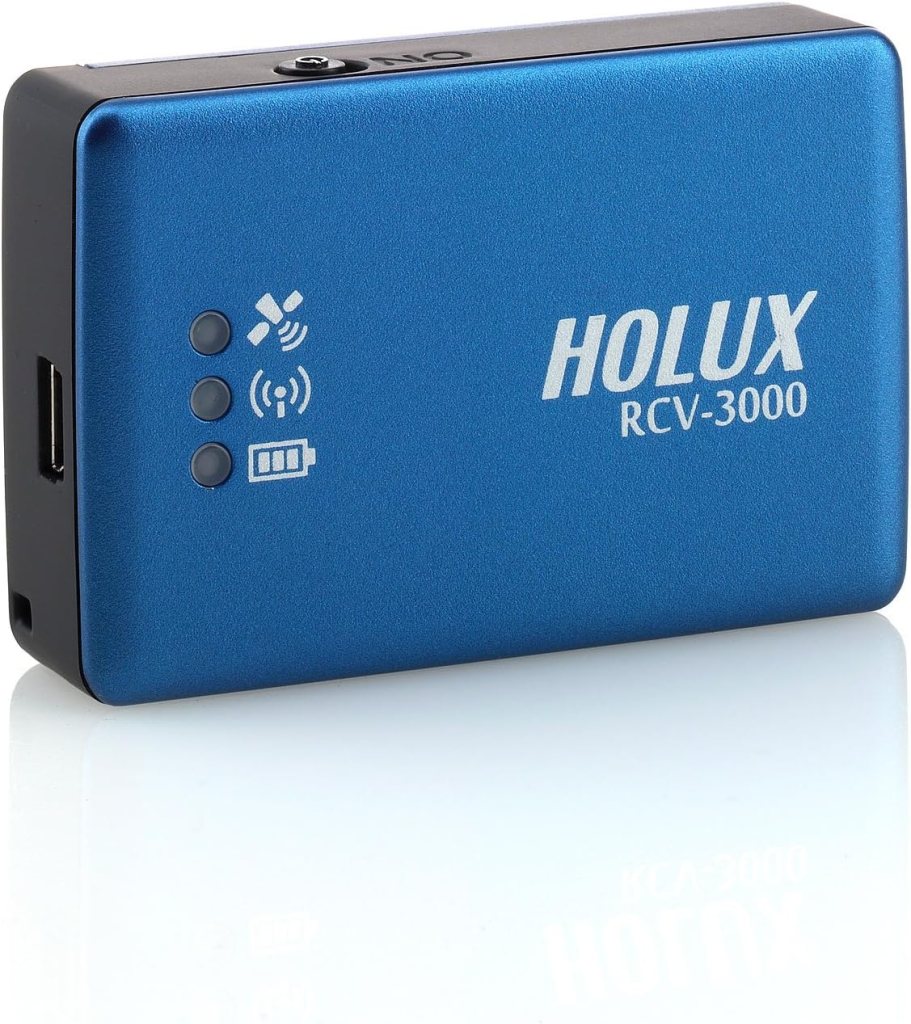
Subject of another recent post, my matchbox-sized Holux RCV-3000 USB/Bluetooth GPS data logger which is so useful for recording and subsequently geotagging the location of my shots.

Lastly another non electrical item which has come in handy on more than one occasion, my humble multitool. Everything from occasionally using the pliers or screwdriver to possibly, most importantly, opening a bottle of beer. πŸ™‚

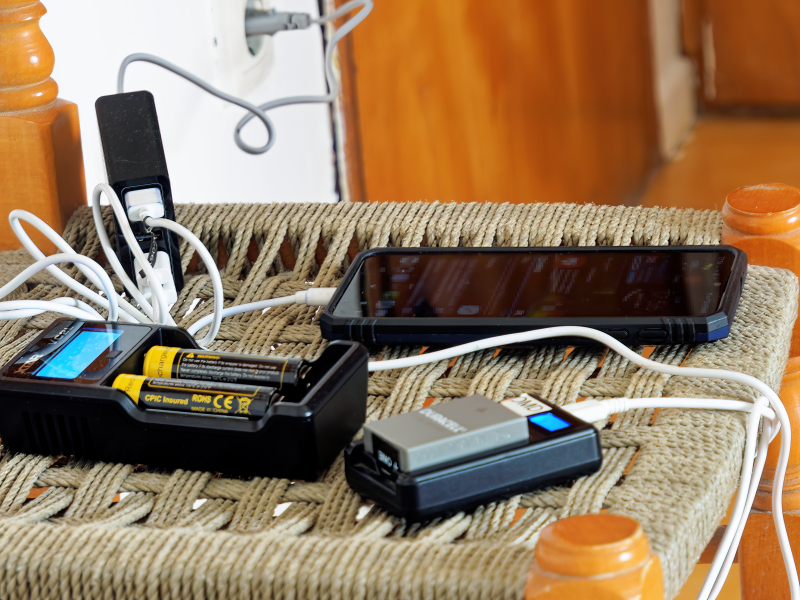
When one only has one mains socket and not even a table to charge things on. At least the mains socket didn’t alarmingly come away from the wall when unplugging which has happened to me a couple of times on my travels, a good reason to take a USB power bank πŸ™‚ and I suppose that, looking on the bright side of life, at least I had a chair πŸ™‚

Kind regards

Leigh

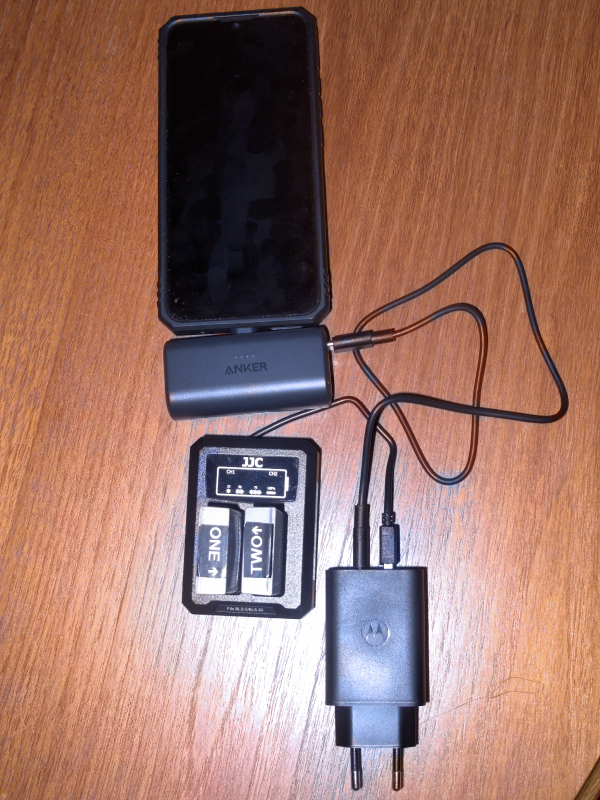
Update: I’ve now had a chance to try out passthrough charging the Anker Nano power bank (USB Type-C) and my phone and also simultaneously charging two camera batteries using my JJC USB dual camera battery charger (USB Type-A) from my Motorola 50w USB wall charger. All seem to work well, so these are going in my camera bag hand luggage. πŸ™‚ These are the things that I most frequently need to charge and serving as a backup to the charging gear in the tech bag in my hold luggage should my case go missing.

Anker Nano USB Power Bank

Hi everyone,

I’ve recently purchased one of these small USB power banks. I have several Anker power banks one of which usually lives in my camera bag whilst travelling which, over the years, has always served me well. I’m rarely off grid for long enough to concern myself too much with running out of power for my mobile devices, especially my camera as I usually carry a couple of extra charged batteries in my bag. The appeal to me of this particular power bank is a combination of its size: 7.7 x 3.68 x 2.5 cm, weight: 98.5 g and versatility rather than it’s charge capacity. I have bigger power banks should I need the extra battery capacity but these come at a premium regarding size and weight which runs contrary to my longstanding travelling as compact and light as is possible philosophy.

The unit has a fold out USB Type C connector and it plugs directly into my mobile phone and doesn’t add much weight so no cable required to connect the two together which is handy. it’s a firm fit but when attached I’d make a point of holding the phone and not the power bank to be on the safe side. It also has a Type C socket on the side, this socket is bi-directional and doubles as a charging port and second output port and the unit also comes with a Type C male to male cable to plug in and connect to another USB device eg. one of my USB dual camera chargers or maybe, with a USB Type C female to Micro USB Type B male adapter, my Bluetooth data logger, both of which also habitually travel with me in my camera bag.

I mentioned capacity, depending on one’s make and model of mobile phone it almost certainly isn’t going to charge a heavily discharged mobile phone battery to full power, that’s not what it’s designed to achieve, but it will serve in emergencies to top the phone battery up quite a bit until one can get to charge it normally. Likewise I can’t see myself using it very often to charge two devices simultaneously via its two Type C connections as that would drain it considerably faster. It came with about 25% charge or one of the four charging LEDs lit. I charged it with a standard, not fast, USB wall charger and it took approximately 1 hour and a quarter to charge to full capacity which is reasonably fast as I hate having to hang around whilst devices like this are charging. It also has passthrough charging to charge the power bank and attached device at the same time, not something that I will probably ever need to do with my typical usage as I have a mains-powered Anker 5-port USB charging hub that I always take on my travels but never the less another nice and potentially useful feature especially if one only has a single port USB charger. They also do a model with lightning connector suitable for I-Phones.

I’m always on the look out for ways to lighten and further compact my gear so a nifty little addition to my travelling kit as well as a nice little day-to-day unit to slip into one’s bag or pocket as and when one feels that it might be required.

Kind regards

Leigh

PS. I forgot to mention that, unlike my older power banks, when it’s connected to my Motorola Moto G30 phone it charges in fast charge “Turbo” mode same as the supplied mains wall charger which is a real boon when one need to get a good charge in quickly. As an example it charged my phone from 22% to 66% on fast charge before becoming depleted, this might improve slightly after several charge/discharge cycles. As they say “your mileage may vary”.

Follow up post to my Geotagging post.

Hi everyone,

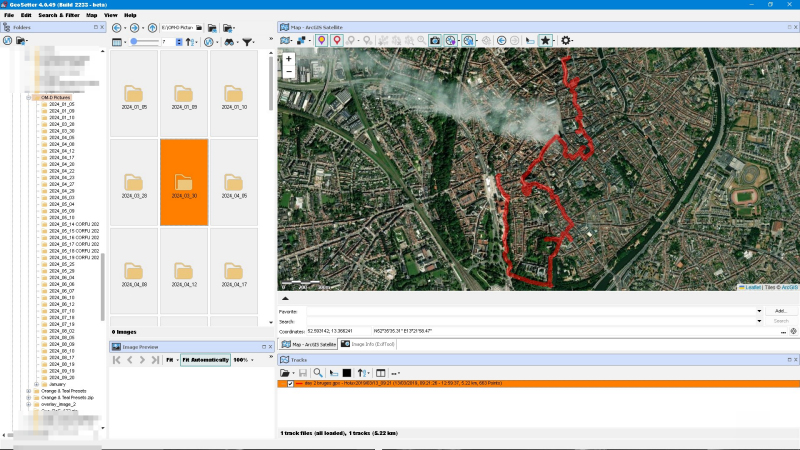
I thought I’d post a couple of example screenshots showing a track file that I recorded on my GPS Data logger when I visited Brugge some years ago. The first is from Geosetter and the second, of the same track as displayed in GPS Track Editor.

On the left one can see the list of folders containing one’s shots, select the appropriate folder and then the images can be Geotagged to the location information contained in the selected track file and displayed on the map.

On the right of the shot one can see the individual track points and one can edit these if one wishes. It also gives an indication by colour on the map of the speed of travel as well as direction of travel arrows. One can select multiple track files and overlay them on the map so if one has recorded several days of travel around an area they can be viewed at the same time.

Apart from Geotagging my shots I have a love of maps, I studied Geographic Information Systems which included Satellite Remote Sensing at University so I really enjoy viewing my travels especially on a street map at ground level in Google Earth. πŸ™‚ To give an example, when strolling around one takes a picture of a building eg. a beautiful church and one doesn’t know it’s name but can subsequently easily locate it on the map and use it when naming one’s shot which has been useful to me on numerous occasions.

Kind regards

Leigh

Geotagging your shots.

H everyone,

For some years I’ve been taking a small lightweight Bluetooth GPS data logger with me on my travels. This device is very useful when travelling as an aid to recording where my shots were taken especially when viewed at a later date when things aren’t so fresh in one’s memory. Simply switch it on before leaving for the day, pop it in one’s pocket or camera bag and switch it off again later. I have a Holux RCV-3000 data logger which I bought eight years ago now. It’s about the size of a matchbox has three LEDs on it which show GPS satellite connection status, Bluetooth active and power/charging status, an on/off switch and a Type B mini USB port. It runs off a small, inexpensive, easily obtainable, replaceable rechargeable battery for which I have a spare and also a separate USB battery charger so that I can charge a battery outside of the unit and the battery lasts quite a good time between charges and it can also be powered via USB, a USB power bank for example. It connects to either the computer by USB cable or my Android phone via Bluetooth connection so that one can download and view the track files. It also fits nicely in one of my waterproof battery cases. Unfortunately I don’t think the company is trading anymore but I’m sure that there must be alternative makes and models out there.

Software-wise I use a free program called Geosetter which comes with a program called EXIF Tool to sync the GPS track data to my photographs and write the location data to their EXIF information. I also use some software called GPS Track Editor to view and possibly edit the GPS tracks . These programs also show the location of the shots on a map which is very useful. The important thing is to make sure that the date and time setting in one’s camera are accurate, I set them before each trip to make sure as it’s this date and time information that’s used to sync the photos correctly to the location. You can also correct for different time zones eg. daylight saving time but I keep my camera set to UTC time whilst travelling.

For my Android phone I use an app called GPS Device Toolbox to download the track files via Bluetooth to my phone for backup at the end of the day and clear the device’s memory should it become full and the device’s internal memory can record up to 200,000 position data sets and I’ve set it to record a waypoint every 10 seconds which is generally more than sufficient for my needs. I use another app called GPS Track Viewer to view the track files on the mobile phone all these programs and apps are free at the time of writing. I think that there must be comparable software out there for Apple devices.

Additionally the data logger can act as a “Mock GPS Location Provider” and use it’s GPS rather than the phone’s inbuilt GPS via Bluetooth connection using the Bluetooth GPS app. There are cameras like my Olympus TG-5 with built in GPS and one could use the GPS in one’s phone but both would increase the battery drain on these devices, mission-critically in the case of my camera/s and for that reason I prefer to use a separately powered device. Along with my indispensable Anker 5-port USB charging hub and USB camera battery chargers it’s one bit of kit that packs itself.

Kind regards

Leigh

PS. Correction, the free version of Bluetooth GPS no longer supports Mock GPS Location, this free app does: Bluetooth GNSS , tested and working with my data logger.

Camera half cases, why fit them?.

Hi eveyone,

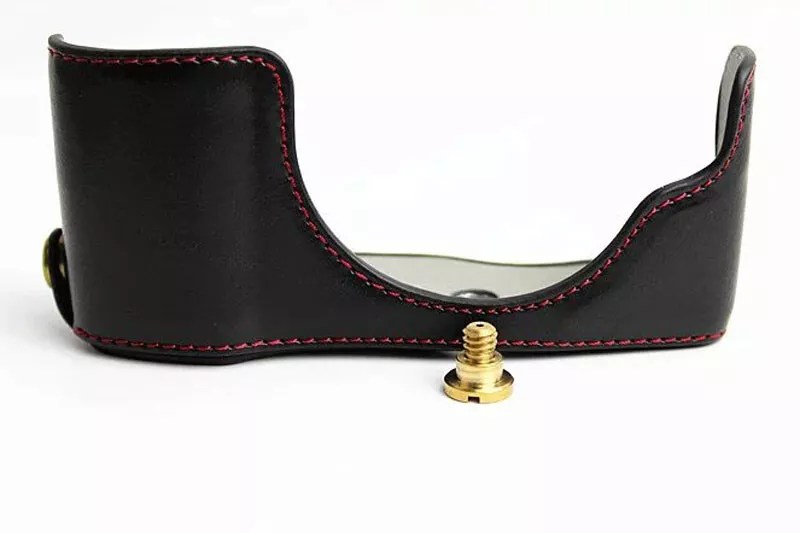
I’ve come to like camera half cases as can be seen in my previous post fitted to my Olympus OM-D E-M5 II and PEN-F camera models. I now have three, shortly to be four, of them fitted to my various camera models. For one, they add some extra protection from bumps, knocks and scuffs to the camera body as well as having a pop fastening flap for the battery compartment which proved very useful on one occasion in particular when the battery door broke on one of my cameras and I feel that they also improve the grip on the camera somewhat. They do also add a nice bit of retro styling to the camera which I like but that’s not the principal reason why I chose to fit them. I’ve also added Tile lost and found QR Code labels to the bottom of the cases as there’s nowhere on the camera bodies to attach them to. One can pick up the faux-leather ones for most models of camera on the likes of Ebay etc. and they’re quite inexpensive as camera accessories go.

If one values one’s gear, and what photographer doesn’t?, I think that fitting these is a “no-brainer” as my American friends say. Bash one of these and you can throw it away and cheaply replace it. Bash your camera body and that’s a totally different proposition with the considerable expense, inconvenience and hassle of getting it fixed always assuming that one can with out of production camera models, there’s more than a strong probability that it wouldn’t be cost-effective. At best you’ll reduce any re-sale value, at the very worst it could be a write off.

Kind regards

Leigh

Tile Bluetooth trackers and lost and found labels.

I added the carabiners.

Hi everyone,

You know I love gadgets πŸ™‚ so I bought several of their Tile “Mate” and “Pro” models of Bluetooth trackers and a pack of their lost and found labels. As I am, by choice, an Android mobile user I chose these and I believe that they also provide an app. to work with Apple I-Phones. I’m going to pop one inside each of our suitcases for our next trip as well as my camera bag and stick the labels on some of my gear E.g. the lens hoods on my lenses, SDHC card case, Anker USB charging hub, Ravpower card backup file hub, Nitecore air blower etc., my wallet, passports as well as the suitcase luggage labels, much more secure and useful than putting one’s name and address on them and advertising to all and sundry that you’re away I think. For those unfamiliar with these type of devices they are very small square or rectangular-shaped, limited range, Bluetooth transmitters similar in function to the Apple Air Tags. You download their app on your phone, add your trackers and/or labels, your mobile is automatically added, and you can use it to locate the tracker if it is within range of your phone or another Tile user’s phone. You can also push the button on the Tile device to ring your phone should you have misplaced it somewhere within range, down the back of the sofa etc. πŸ™‚ and each device also has a QR code on it which, when scanned, sends them the details of your choosing eg. e-mail address, phone number and a short personal message. Useful as and when you might want to change your contact details without having to re-label things. Although not as popular and with a smaller user-base or, to use the trendy buzz word, “ecosystem” πŸ™‚ when compared to I-phones/Air Tags I was surprised to find on the map that there were about 450 Tile users within a small radius of my home location and we don’t live in a large Metropolitan area.

If the trackers are hi-tech items then the labels are good old-fashioned dumb-tech. They also have a QR code and the words “scan if found” and work the same way as the QR code on the trackers. I’m not suggesting that the trackers and labels are in any way a guarantee of finding your lost/stolen items should you unfortunately need to do so but they could well prove to be useful in doing so and anything that might help can’t be bad. A personal note about Bluetooth, I never leave it switched on all the time on my mobile phone as I feel that there are security risks associated with doing so but rather I switch in on when I occasionally need to use it and promptly switch it off again when I’m finished.

If this is of interest you can find more info on their website: https://www.tile.com/en-gb as always, I do not have any affiliation with the manufacturers and the items mentioned in this posting have been paid for entirely out of my own pocket for my personal use.

Kind regards

Leigh