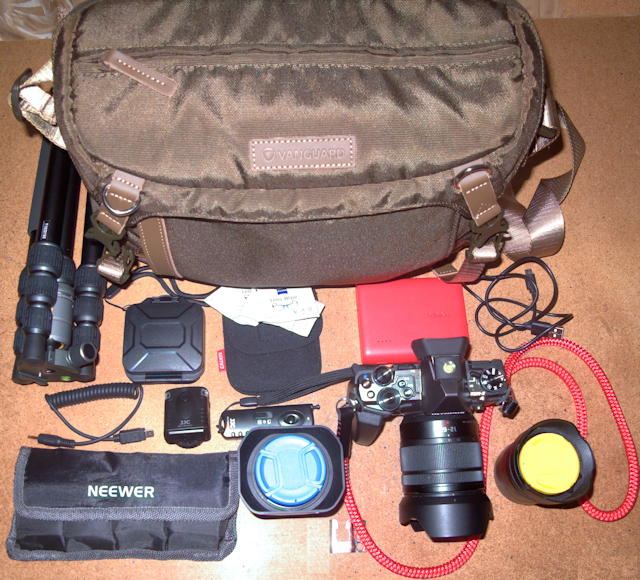
Another day, another camera bag :) -Vanguard VEO GO34M KG SHOULDER CAMERA BAG (and VEO 2 GO 204AB TRIPOD)

bag scale

What’s in my bag?

BAG AND GEAR SMALL

Hi everyone,

My quest,Β  (readΒ obsession),Β  to find a “perfect” camera bag recently moved a step closer. πŸ™‚ . Whilst visiting Chester I came across a very nice lightweight, well-padded camera bag by Vanguard designed specifically for Micro Four Thirds kit. If you’re into full-frame DSLR kit and large lenses then “this isn’t the bag you’re looking for” Β Β  but, if like me, you prefer to travel as light and compact as possible then read on.Β 

Manufacturer’s specifications:

Internal Dimensions 340 Γ— 105 Γ— 230mm
Outside Dimensions 355 Γ— 130 Γ— 250mm
Weight 0.7kg
Internal Tripod Compartment Yes – Tripods up to 33cm

VEO GO34M KG SHOULDER CAMERA BAG – KHAKI-GREEN

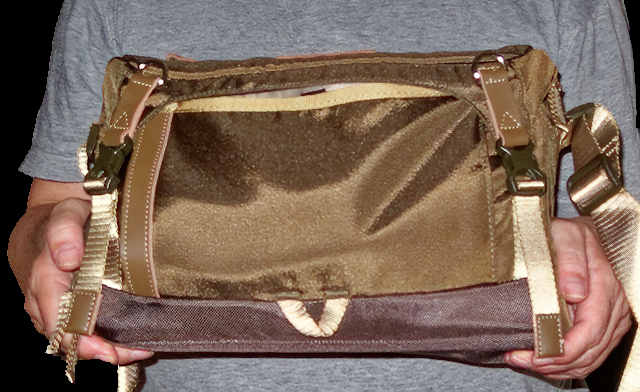
Front: Adjustable webbing shoulder strap, shoulder pad and carrying “grab” handle and two “D” Rings for attaching accessories. It has one of the most comfortable shoulder pads that I’ve come across. The bag is also available in black but I really like the styling of the khaki-green version.

IMG_0475 -1_DxO-Edit-fullframe

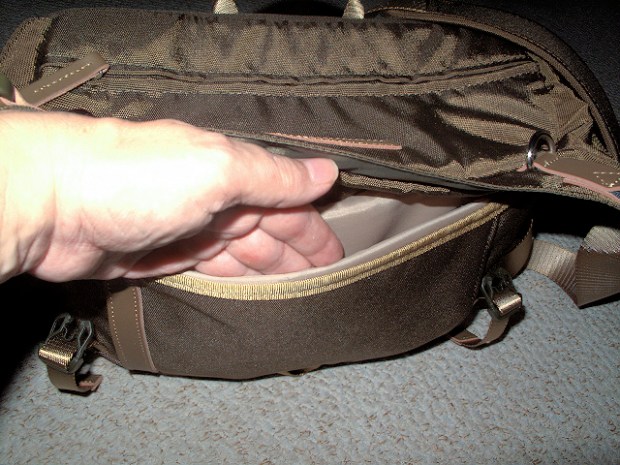
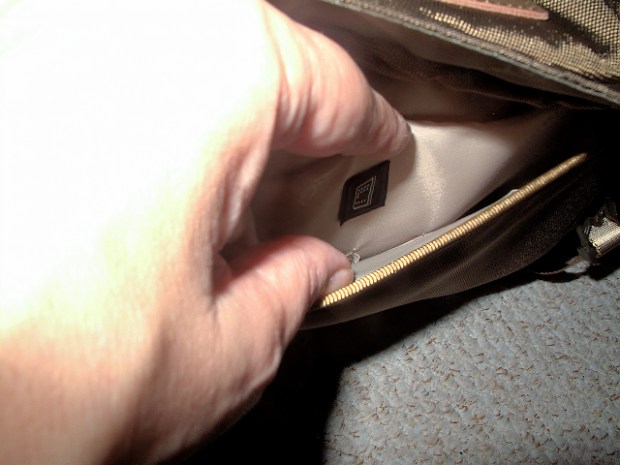
Front pocket with two compartments. Rear compartment will take a 9.7 inch tablet, I know, I’ve tried it with my Samsung Galaxy SM-T560 tabletΒ Β and the front compartment has two small (pen sized) and two larger pockets to take other accessories. Personally, a very small thing but I’d have liked to have seen three of the larger pockets as I think they’d ultimately be more useful.
IMG_0477 -1_DxO-Edit-fullframe

IMG_0478 -1_DxO-Edit-fullframe

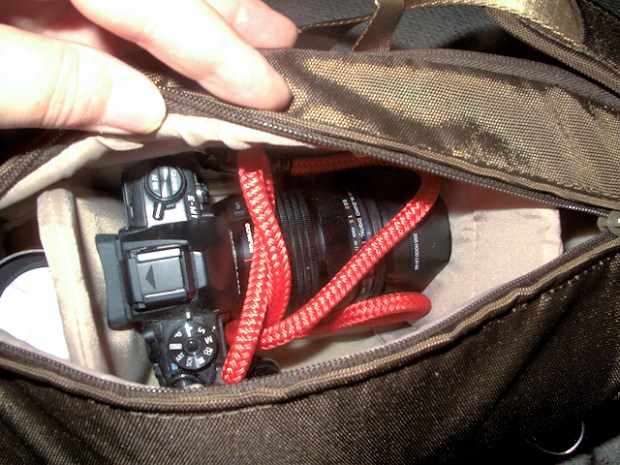
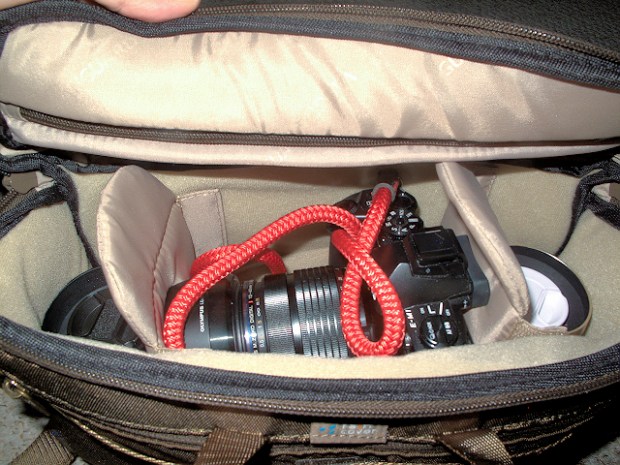
I really like the top entry to the camera compartmentΒ  allowing access to the gear without having to remove the bag from one’s shoulder and the compartment can also be accessed by a zipper which runs around the bag. The bag comes with three velcro dividers but I’m currently using two as I like to carry a camera with a lens attached. OM-D E-M1 Mk 1 with 12-40 mm zoom attached plus 17 mm and 25 mm prime lenses. If you’re interested in them I did a post onΒ Cordweaver neck and wrist straps.

IMG_0479 -1_DxO-Edit-fullframe

IMG_0484 -1_DxO-Edit-fullframe

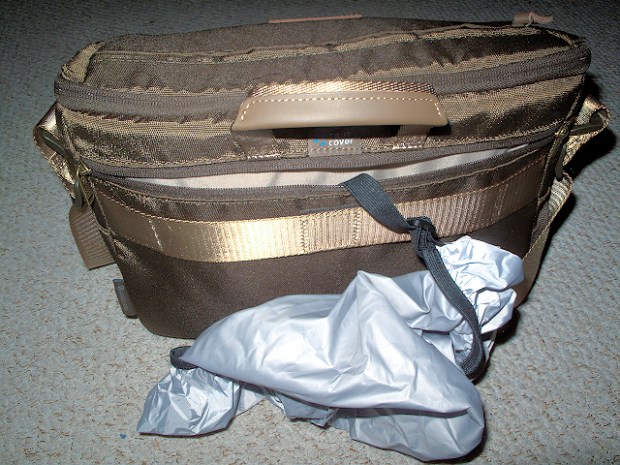
Rear of the bag with zip compartment housing the supplied rain cover and a strap with centre fixing velco to hang from roller luggage.Β  There’s also some space in this compartment close to one’s body, for a passport, wallet, documentation etc.

IMG_0480 -1_DxO-Edit-fullframe

bag case

IMG_0481 -1_DxO-Edit-fullframe

Rain cover fitted, I like it that it goes right under the bag, enabling the bag to be put down on a wet surface. Another nicely thought out feature is that the rain cover is attached to the bag by a strap which can be detached or left to dangle from the bag to dry out when required.

IMG_0483 -1_DxO-Edit-fullframe

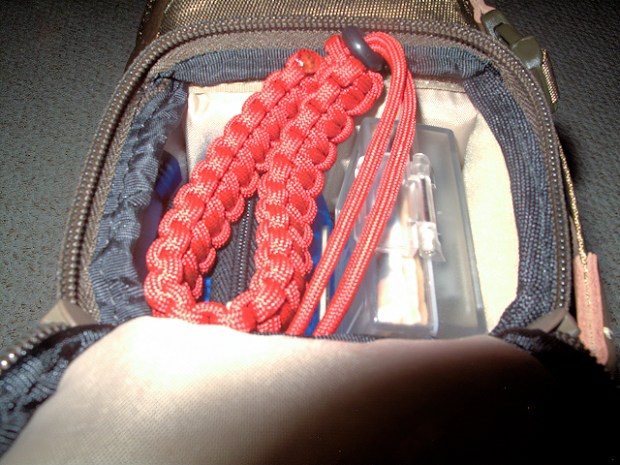
The bag has a full-width compartment which can house a compact tripod (check the spec. on their website) or maybe a long lens. I’m using it for a rainproof jacket, my small TG-5 backup camera and spare camera batteries etc..

Although designed specifically to house a tripod I’d like to have seen the same access on both end of the bag as, when stuffed with other gear, it’d be easier to get to the contents without having to unpack stuff.
IMG_0487 -1_DxO-Edit-fullframe

In conclusion, a very well designed and versatile camera bag that ticks a lot of my boxes.

Kind regards

leigh sig 2

Caution: make sure you get their VEO 2 GO range and NOT their VEO 2 range else it will not fit the bag.

PS. I’m not a fan of tripods as they don’t normally suit my style of photography. They’re additional weight to carry around all day, one more thing to be hung from one’s shoulder or strapped to the camera bag and they take time to setup and pack away,Β  despite the above I’m considering getting one of these:Β Vanguard VEO 2 GO 204AB ALUMINUM TRIPOD WITH BALL HEAD – RATED AT 6.6LBS/3KGΒ . This will inconspicuouslyΒ go in to the bottom compartment of the bag and weight only 2 lbs.

I suspect that I’ll end up carrying it around and using it very occasionally but it comes in at a very tempting price (at the time of writing at Amazon for Β£64 UK), seems very well designed with many good features including fast setup and it might come in handy on the odd occasion.

It also seems to me to be more than a bit bizarre to go to lengths to choose a bag which doesn’t scream “camera gear inside” and then either carry or strap a camera tripod to it, another feature of the bag that I really like as next to nobody is going to know that I’m carrying a tripod and thus camera gear.
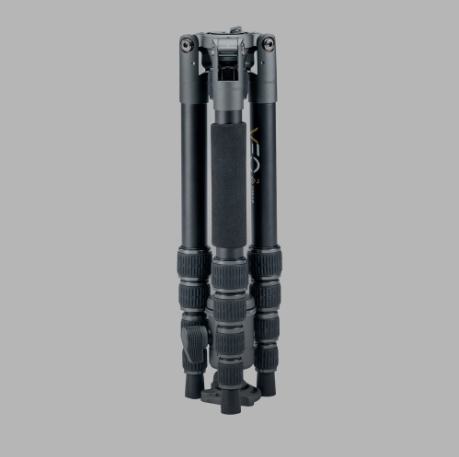
tripod

Tripod with center column inverted and at its shortest length in the transportation orientation and one (of three) twist-lock leg sections extended showing hook for adding weight for extra stabilisation.
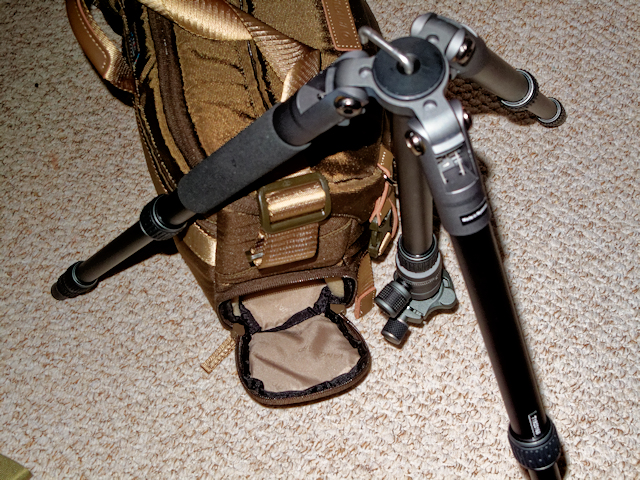
tripod and bag 3.jpg

Now you see it…

tripod and bag 1

and now you don’t…

tripod and bag 2

Me?, carry a tripod?, what tripod?!

Cordweaver camera neck and wrist straps.

Hi everyone,

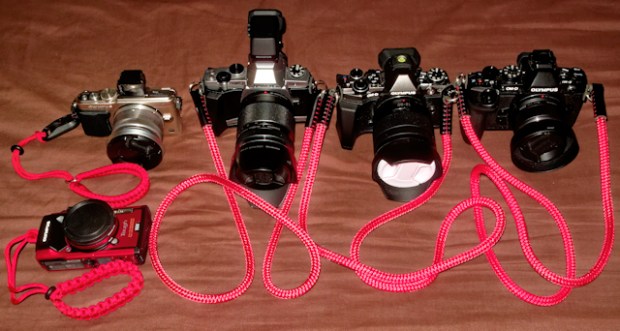
I’ve standardised on these great camera neck and wrist straps by a company called “Cordweaver” – https://www.cordweaver.co.uk/Β . The straps are very light and strong and are available in a choice of two colours, red and black and various lengths, the leather ends are hand-sewn with strong polyester waxed thread. Connection to the camera is via the fitted 16mm diameter split rings and the wrist straps are made out of Type III 550lb Paracord with 7 internal strands.

Great service, very quick dispatch and very high quality merchandise. I used one on my EM-1 and one on my TG-5 for my recent trip to Porto and it was great, so good I’ve since bought another three,Β  πŸ™‚ very comfortable to wear and strong and it would be very hard to cut through should someone try and grab the camera.

cordweaver straps

Additional: The wrist straps come in two types, with Peak Design style connectors (as fitted to my EPL-5 on the top left) and, without, (as fitted to my TG-5). It is also supplied with a spare Peak Design connector, a nice touch.

Lastly, I really like how flexible they are and tuck in nicely in my camera bags unlike some of the stiffer and more bulky neck straps I’ve used. The wrist straps act like slip knots at either end so they tighten at both the camera end and the wrist end should the camera slip from your grip, the addition of a rubber grommet is another nice feature.

Kind regards

Leigh

Skylum Software latest free update for Luminar 3 (v3.1.0) with Accent AI 2.0

Hi everyone,

Here it is the latest update for Luminar 3Β Β  including the newΒ Accent AI 2.0 feature. and a host of other new useful features. I’ve been fortunate to have been testing a beta release of these features for a few days now and they are great.

You’ve got to love these guys πŸ™‚

Changelog:

Luminar Updates for Windows Users

The Windows version of Luminar receives several updates with version 3.1.0 We hope you enjoy this new release of Luminar and appreciate your feedback and reports.

New features

IMPORT IMAGES.Β You can now import images from a memory card or hard drive and copy them to a folder. You can also choose to include subfolders when importing

SMUGMUG SHARING.Β The ability to post images to SmugMug has now been added to Luminar for Windows.

SHORTCUTS.Β Folders and user albums can be added to the Shortcuts list. Just right-click for a context menu or drag & drop them into the list.

IMPROVED SELECTIONS.Β Want to choose a range of photos in the Gallery view? Try the Shift or Ctrl key to select a range or group of images. You can also deselect images from a multiselection by Ctrl+clicking on an image.

ROTATE IN GALLERY. Images selected in the gallery can be quickly rotated left or right by 90 ̊increments with no need to switch to edit view. Just use the Image > Rotate menu or just right-click.

PHOTOSHOP ELEMENTS SUPPORT.Β We’ve added Photoshop Elements support to the Windows platform. Just choose the Install Plugins command if you want to load Luminar as a plugin. For future versions of Luminar, plugin users should switch to Luminar Flex.

Performance Improvements

Get additional speed and performance from the Luminar update.

IMPROVED HISTORY.Β Undo a Sync/Copy/Paste adjustments with one step in the History list.

HIDDEN FILES.Β Luminar does a better job of filtering hidden folders and photo. Additionally, unwanted items like Backups, History, Previews, and Caches won’t be shown when opening Luminar Catalogs.

Luminar Updates for Mac Users

Several performance improvements, as well as new features, await Mac users. We hope you enjoy this new release of Luminar and appreciate your feedback and reports.

PROGRESS BAR.Β Keep better track of what’s happening when working with Luminar. You’ll see a progress bar when using tools like Erase or when running Luminar as a third-party filter.


Kind regards

leigh sig 2

Our fridge is a shrine :)

Hi everyone,

Our fridge-freezer has gradually turned into a shrine. My wife is a huge Elvis fan. Hang on, I could have phrased that better, by that I mean she’s a huge fan of Elvis. πŸ™‚ . Oh and somehow we’ve managed to squeeze in a few momentos of our travels but, sadly, not as yet, one of Graceland.

OLYMPUS DIGITAL CAMERA

Original shot (no white balance correction applied) –

OLYMPUS DIGITAL CAMERA

I really took this shot at ISO 6400 to demonstrate the incredible power of Topaz DeNoise AI in getting rid of noise. I don’t usually shoot at such high ISO settings but it’s a valuable tool in my software toolbox box for the occasions when I have to.

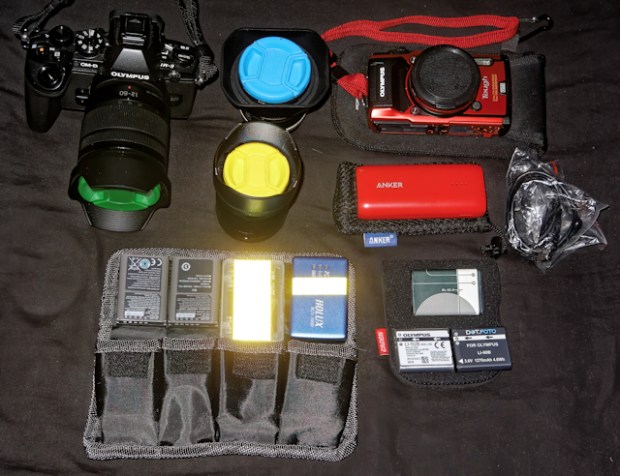
I’ve also finalised the gear for my next trip with the emphasis as usual very much on weight, total weigh of bag and gear, approx. 2.5 Kg!.

travelling gear new with tg-5 small

Olympus E-M1, Lumix 12-60 mm, M.Zuiko 9-18 mm, Lumix 12-35 mm. Olympus tough TG-5 and Forevercam,, Anker Astro 6700 mAH powerbank and cable, Newer battery case, 2 xΒ  E-M1 batteries, memory card case, Holux data logger, spare Holux battery and 2 x spare TG-5 batteries. All I need to travel light.

newgear2

newgear1

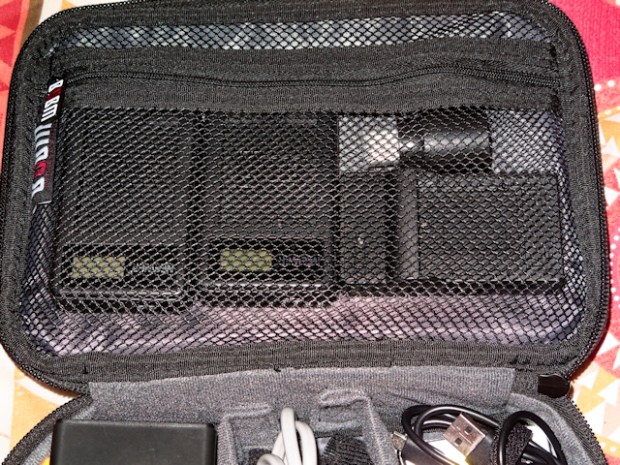
BUBM case, 2 x USB charger for EM-1 batteries, USB charger for TG-5 battery, Anker five-port USB charger, Olympus backup/USB charger for TG-5, mains cables, USB cables, memory card case, USB LED torch.

Best wishes,

leigh sig 2


I’ve had a Tough morning πŸ˜€

Hi everyone,

As I left this morning to take some shots I couldn’t help feeling that something was missing, my camera!, no it wasn’t in my camera bag, I didn’t have a camera bag, it wasn’t draped from my neck either, it was in my jacket pocket!.

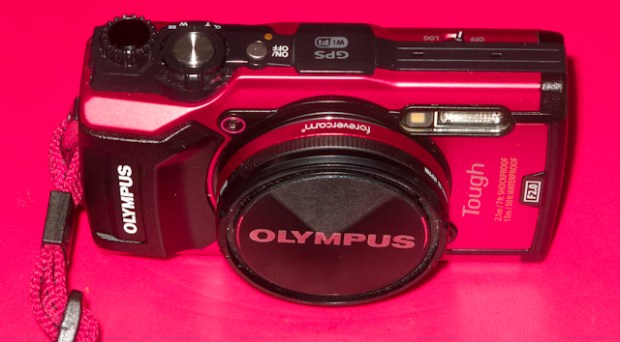
The purpose of this morning’s brief outing locally to the river was to put my new camera through its paces. My latest purchase, an Olympus TG-5 Tough, this TG-5 Tough, fitted with Forevercam adaptor, 52 mm filter and one of my Olympus lens caps:

TG-5 and forevercam small

For some while now I’ve been looking around for a modern replacement for my very elderly Canon G-10 backup/pocket camera. I settled on the TG-5 as it’s small and fully featured. I know that it is rugged, waterproof, drop-proof, sand-proof, freeze-proof, crush-proof etc. but that’s not the main reason why I got it.

I’m not in to what I believe the collective term for is “adventure sports”, white-water rafting, kayaking, mountain climbing, scuba diving, skiing, hang gliding etc. etc. but I do like the idea that this camera will survive being drenched, dropped or crushed. The fact that this camera is claimed to be waterproof down to 50 foot isn’t a consideration, as a non-swimmer, if I ever found myself 50 plus feet underwater it wouldn’t be my camera that I would be worried about. πŸ™‚

When I’m away I’m tired of carrying around a second camera body all day and I wanted something light and pocketable to take out in the evenings after I’ve freed myself of the weight of my camera gear. On the whole I’m quite impressed with my first findings, the cameraΒ performed well, it’s a little soft at the telephoto end but nothing to be over concerned about. The 24-100mm (in 35mm terms) zoom range is perfectly adequate for my requirements. I did find using the LCD screen and not a viewfinder a little strange but that’s just my preference and years of using viewfinders dating back to my film camera days. Although it was a sunny morning and it was okay,Β  I can’t help but wonder how visible the display will be in strong sunlight. My wife’s point and shoot is more like point and hope as one can’t see a darned thing on the screen in bright sunlight! and it’s a hit and miss (more miss than hit) affair πŸ™‚

The camera will do 4K video but this doesn’t interest me and I’ve not got anything to view 4K videos on ifΒ  I took them, I’m not in to videos at all. What did impress me was the GPS recording feature which made it easy to geotag my photos on my return. I didn’t feel inclined to test it with their mobile app but I will be doing so. Instead I used GPS Track Editor on my PC to convert the .log format file in to .gpx format fle andΒ  Geosetter toΒ  geotag the images using the .gpx file.

I really like the macro mode, what they call the microscope mode which allows the lens to be as close as 1cm from the subject. I’m not in to macro much but it was fun to try out. Another great feature for me is USB charging, as it’s something that I’ve come to love when travelling and, in my opinion, something that should be a feature of all cameras. Apart from all of these useful features it does look incredibly sexy in red. πŸ™‚ , chosen really because, if I drop it it’s more visible than black.

In my experienceΒ  like all Olympus cameras the menu system can be a steep learning curve for those starting out but fortunately, courtesy of my years of experience with their Micro four Thirds cameras, I consider myself to be pretty much at the top of the learning curve so it came fairly naturally and intuitively to me.

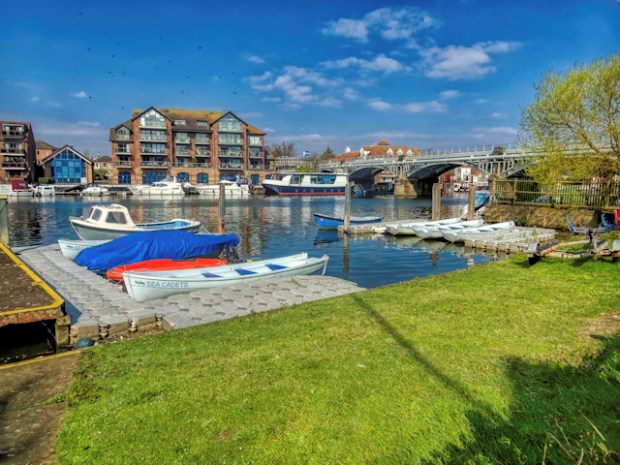
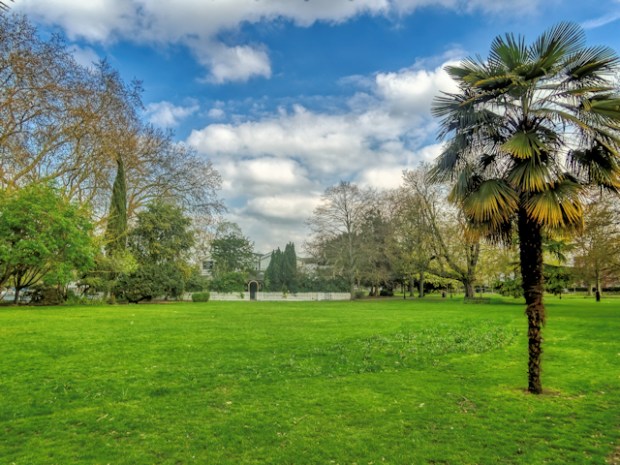
A few test shots, all from RAW files @ISO 100, with a bit of fairly basic processing. I’ve yet to see a straight out of the camera shot that wouldn’t benefit from at least a few basic adjustments. This post isn’t a review as such, there’s plenty of them on the web,Β  I like to show what the camera is capable of rather than what comes straight out of the camera. That’s not to say that the camera doesn’t produce good quality images but, processing is my “thing”. πŸ™‚

TG5-1

Click above for a full-size image.

TG5-2

TG5-3

TG5-4

TG5-5

TG5-6

TG5-7

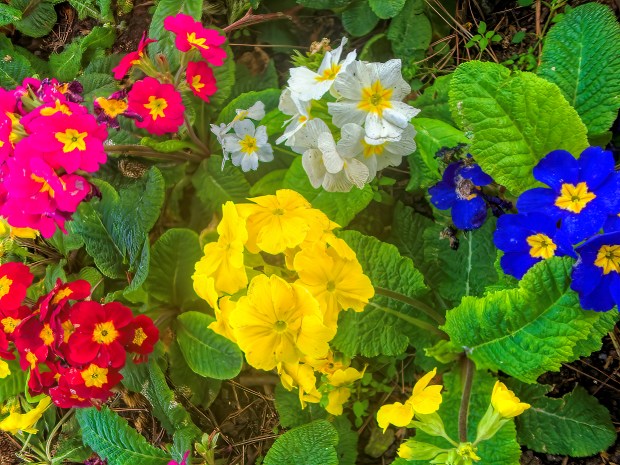
spring flowers.jpg

Best wishes,

leigh sig 2


An interesting post regarding colour profiles.

Hi,

I’ve been using DXO Labs camera-specific colour profiles and there’s absolutely nothing wrong with them but I stumbled across this article and decided to follow the stages described and made my own DCP profiles for my different camera bodies for use with DXO PhotoLab and Lightroom.

https://www.dpreview.com/forums/thread/4348994

Kind regards

leigh sig 2


Topaz Labs release Gigapixel AI version 4.

Topaz Labs release Gigapixel AI version 4.

Topaz Labs have released Gigapixel AI 4.0, a major upgrade to their machine-learning enlargement product.Β https://topazlabs.com/ref/279/

Existing customers can update for free by launching the product. For new users, they’re offering $20 offΒ until 1/4/2019. Here’s some results with the new algorithm:

Skylum Software – AirMagic

Hi everyone,

Skylum have a new product which could be of interest to anyone involved with drone photography.

air magic banner

Skylum Software products US$10 discount code – LEIGH10SKYLUM

Kind regards

leigh sig 2

Topaz Labs 15% discount coupon code

Hi everyone,

I have setup a permanent 15% discount coupon code which can be used on all Topaz Labs products. The code is leightopaz.Β If you are wishing to use the code please us my Topaz Labs affiliate linkΒ Β and apply the code at the checkout.

Kind regards

leigh sig 2


An example workflow using Topaz Labs and Skylum Software.

Hi everyone,

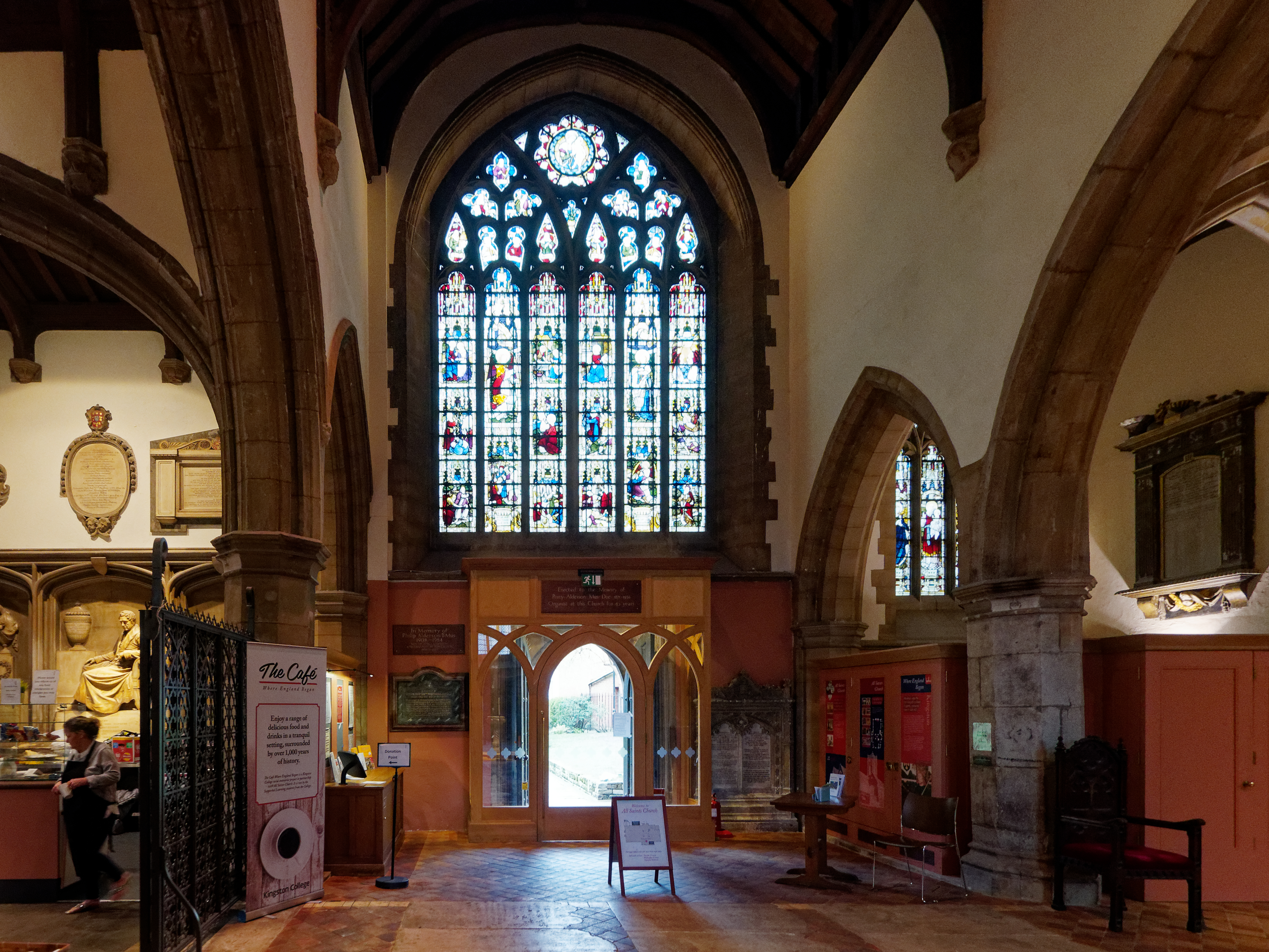
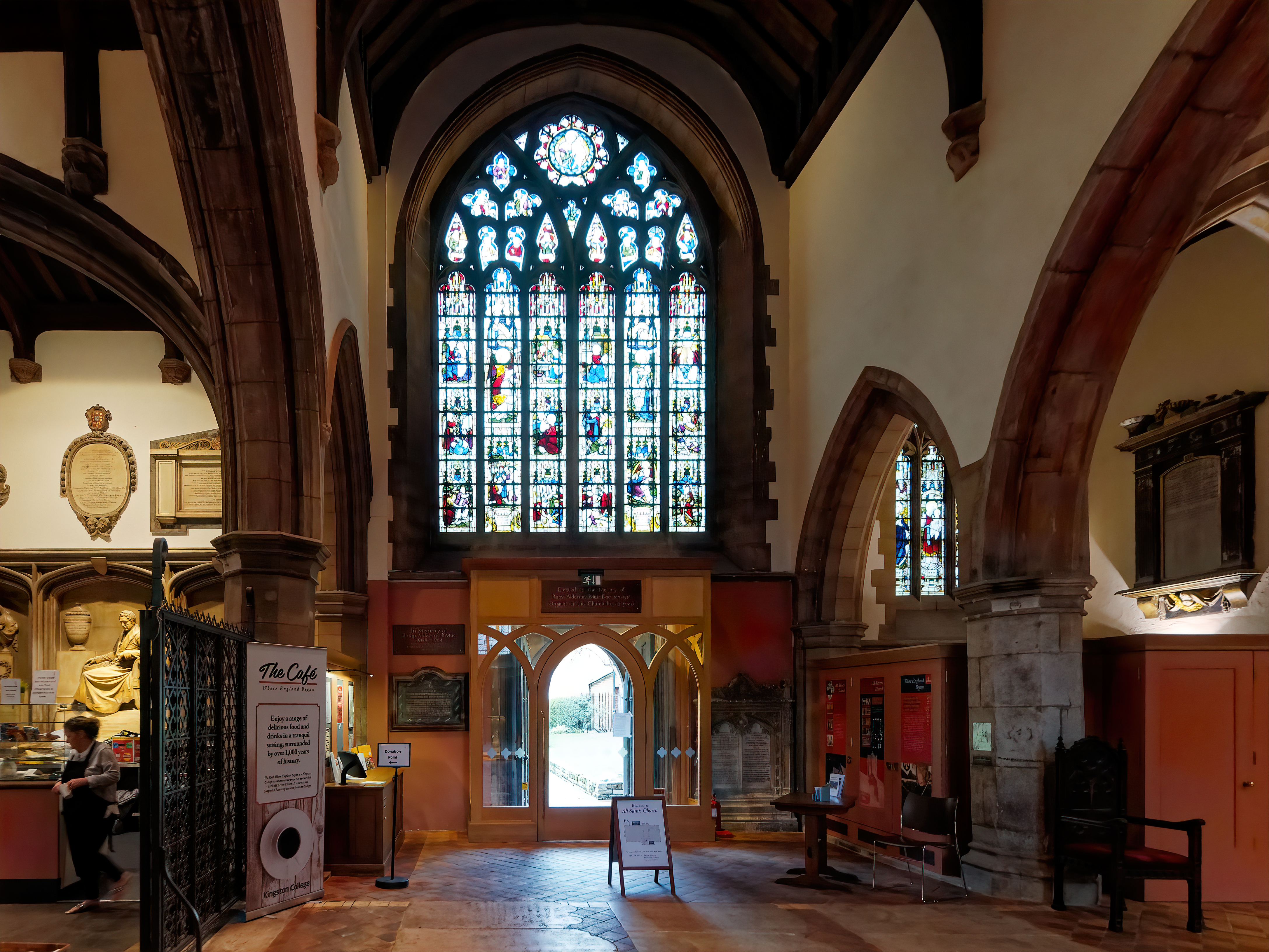
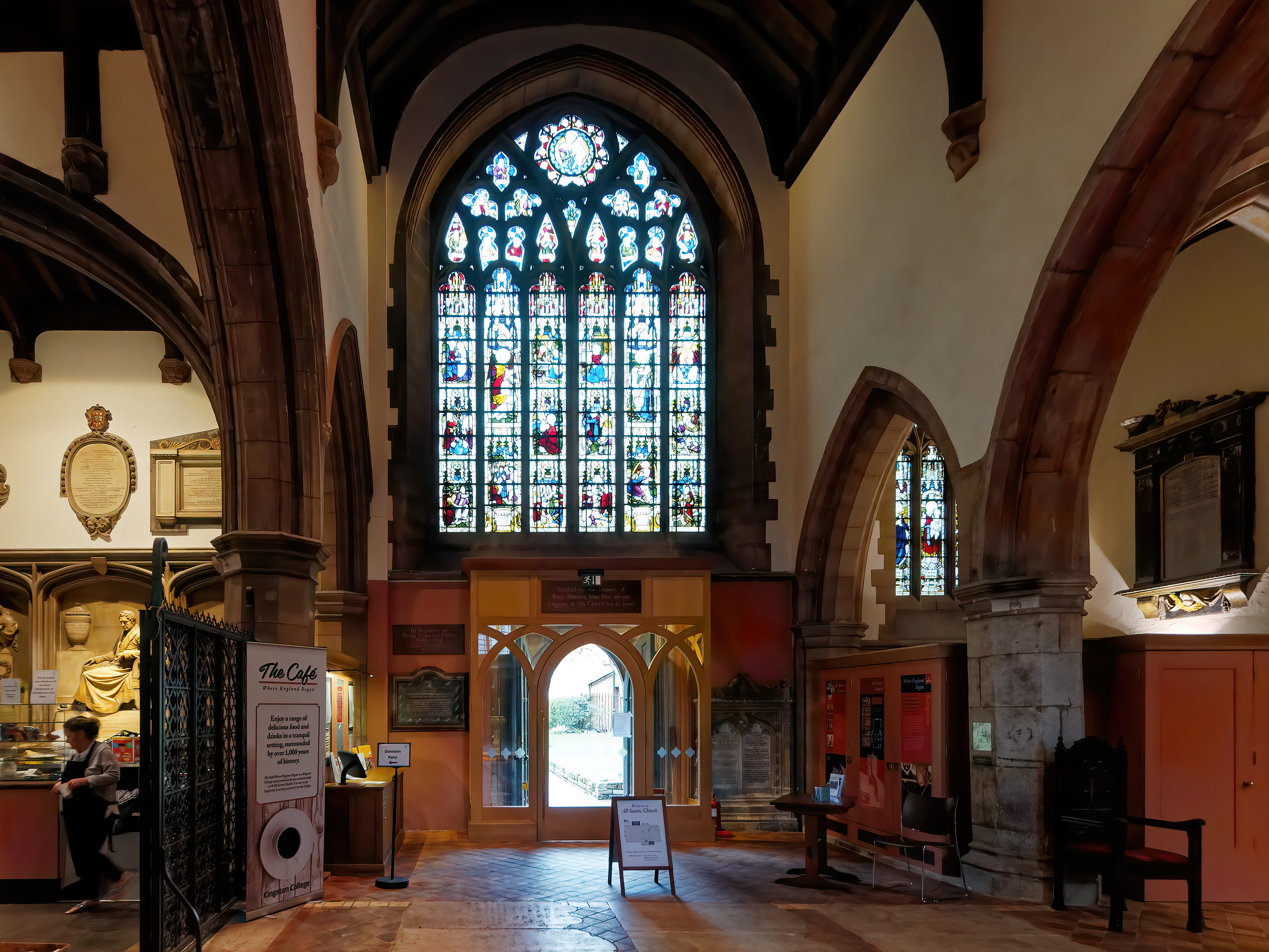
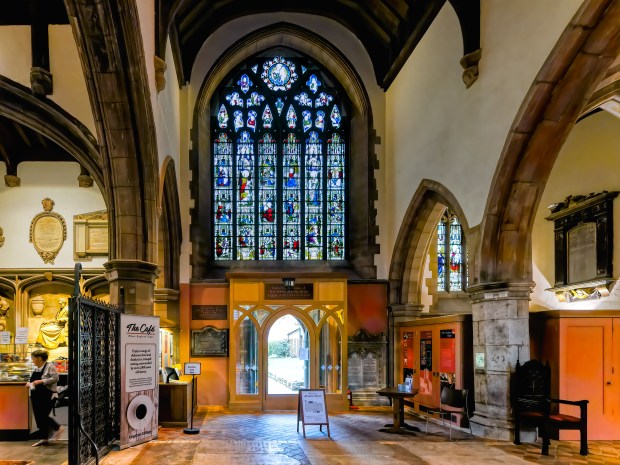
I thought I’d post a workflow example using one of my shots from my recent visit to All Saints Church, Kingston Upon Thames.

Original image.

OLYMPUS DIGITAL CAMERA

Lens corrections and corrected verticals in DXO PhotoLab 2 + Viewpoint 3, my standard RAW editing software.

dxo processed image.jpg

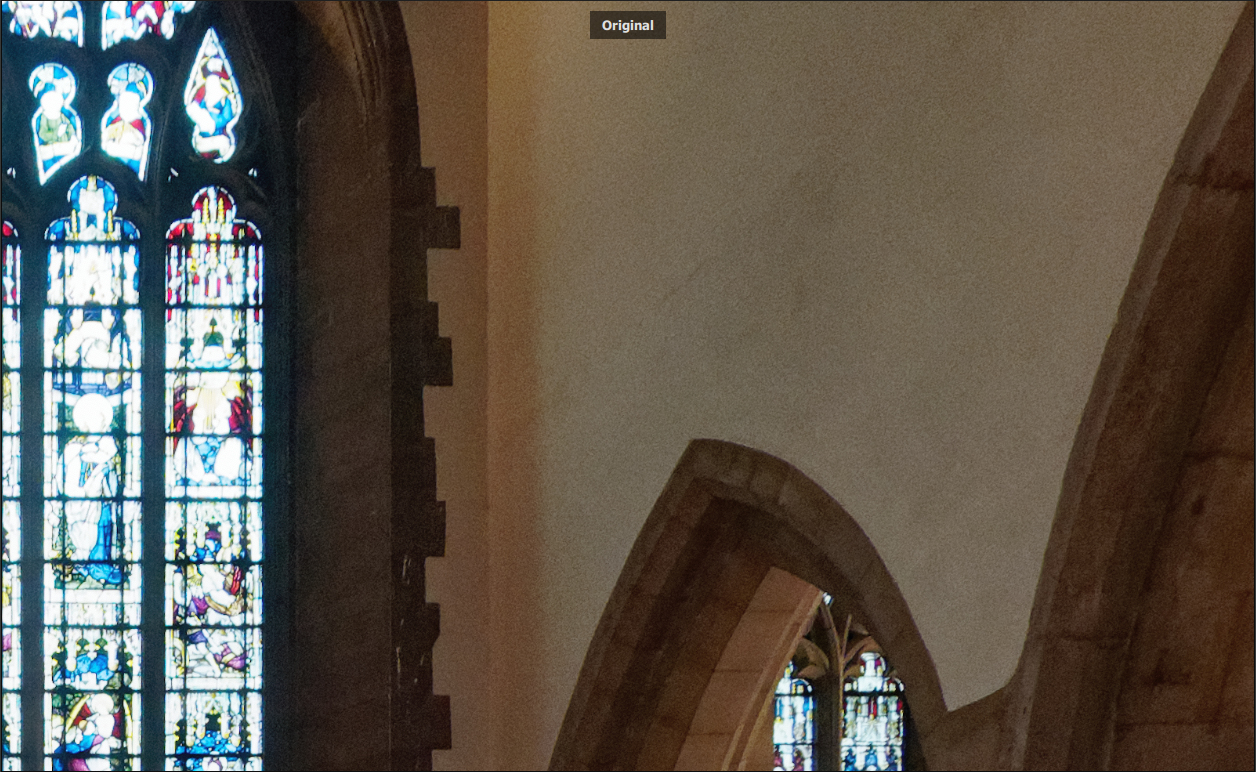
As this image was shot at ISO 1600 I used Topaz Labs’ A.I Clear to remove the noise, more apparent in the full sized crops below.

workflow 1

workflow 2.jpg

After A.I clear

after AI clear.jpg

Sharpened using Topaz Labs’ Sharpen A.I. The effect is quite subtle but noticeable in full size image. Full sized crops:

workflow 3.jpg

workflow 4.jpg

After Sharpen AI

sharpened image.jpg

HDR from Skylum Software”s Aurora HDR 2019

aurora image.jpg

A few adjustment made to taste usingΒ Sklyum Software’s Luminar 3 including White Balance correction and here’s the final result. I also wanted to restore some of the colour and contrast in the stained glass window over the doorway.

luminar.jpg

This was a quick edit but I think that it shows the awesome power of these Artificial Intelligence software products from these companies and the original image again for comparison.

OLYMPUS DIGITAL CAMERA

Kind regards

leigh sig 2